
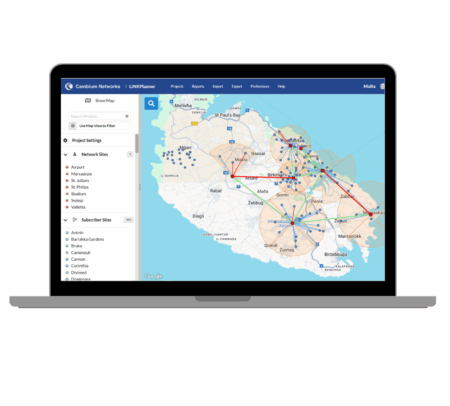
We’re excited to announce the release of LINKPlanner V6.4.0, a major upgrade that introduces true real-time collaboration to your network planning workflow. This version delivers one of the most impactful enhancements ever added to LINKPlanner—multi-user editing—allowing teams to work together on the same project seamlessly and securely.
Work Together in Real Time
Previously, only a single user could have write permissions to a project at a time. Teams often had to pass project files around or track multiple versions manually.
Now, with V6.4.0, LINKPlanner removes that bottleneck.
Multiple Admin or Read/Write Users
Projects can now be edited by multiple users simultaneously. Permissions are fully configurable under Project Settings, giving organizations the flexibility to control collaborative access and improve teamwork across departments or regions.
User Presence Indicators
A new visual indicator shows who else is actively working in the project. Icons appear to the right of the Show Map button and hovering over each icon reveals the email address of the collaborating user. This makes real-time teamwork intuitive and transparent.
Benefits of Multi-User Editing
1. One Project, One Source of Truth
With a single shared online project, teams no longer have to manage multiple versions or wonder which file is the latest. Everyone sees the current, authoritative design.
2. Global Collaboration Made Simple
Whether teammates are in the same building or distributed worldwide, they can now work together simultaneously inside the same project environment.
Additional New Features in V6.4.0
Alongside multi-user editing, LINKPlanner 6.4.0 introduces several enhancements designed to expand network design capabilities and streamline workflows:
• Channel Planning for cnWave 60 GHz PMP Networks
This feature adds support for channel planning within cnWave™ 60 GHz Point-to-Multipoint networks, enabling more precise modeling of channel assignments, better interference management, and improved performance predictions.
• New LINKPlanner BOM Estimator Menu Option
A new menu option offers quick access to the LINKPlanner BOM Estimator, making it easier to move from project design to bill-of-materials generation with fewer steps.
• Selectable AGL or AMSL Height Types for AFC Requests
Users can now choose between AGL (Above Ground Level) and AMSL (Above Mean Sea Level) height types when generating AFC requests, providing added flexibility to support diverse regulatory and deployment requirements.
A More Connected, More Efficient LINKPlanner
The launch of multi-user edit mode—paired with new channel-planning capabilities, improved workflow tools, and expanded AFC request flexibility and various other product updates—marks a significant step forward in how organizations design wireless networks with LINKPlanner. These enhancements help teams work smarter, maintain accuracy, and accelerate the journey from concept to deployment.
Learn More in the Cambium Community
For full release details, discussion, and additional insights, visit the Cambium Community: